
Whiteville Court Docket Searches
Don't look for a city-run case system here. Columbus County joined the North Carolina eCourts Portal in February 2025. That Portal is now the public online route to any Whiteville case in District Court or Superior Court. Pick Smart Search first. Enter the full case number if you have it. Or search a name in Lastname, Firstname form, and set the Columbus County location filter. Click the underlined case number. That opens the Case Summary, which some users call the Register of Actions. From there, a Whiteville docket can display public case information, events, hearings, dispositions, and financial information where those fields apply.
- Open the North Carolina eCourts Portal and choose Smart Search.
- Enter a Whiteville case number, citation number through the advanced type, or a party name.
- Select Columbus County to narrow the Whiteville search and open the returned Case Summary.
- Use Search Hearings for a Whiteville court date, then compare it with the current local calendar.
- Call the Clerk of Superior Court at (910) 641-4400 or use the courthouse counter if the online result needs confirmation.
Searching the Portal costs nothing, and no public registration is required. One caution applies, though. A broad name search can return up to 200 results, so a Whiteville docket search works far better with the county filter plus a case number, case type, status, or filing-date range.
No Whiteville Municipal Court Portal
Whiteville has no municipal court. That fact shapes every search. No city judge, city docket calendar, citation-payment screen, or municipal case-search portal exists for Whiteville. Treat this absence as the key court-records fact, not a gap to fill with a guess. City offices and police contacts handle city-government questions well enough. They simply do not hold the state court file. They do not certify a Whiteville case result.
Whiteville routing: use the city for municipal government information, but use Columbus District Court or Superior Court, the Clerk of Superior Court, and the eCourts Portal for Whiteville court records.
Where does a Whiteville case actually go? Ordinance violations, traffic matters, misdemeanors, and infractions land in District Court, while felonies and major civil matters reach Superior Court. Both paths sit inside the Columbus clerk's record-keeping structure. So changing the city named in a search never creates a new custodian of the record.
Inside the Whiteville Municipal Court
There is no published Whiteville Municipal Court to inspect or search. The state-court structure answers the question. When a Whiteville matter becomes a court case, it enters the Columbus County divisions of North Carolina's General Court of Justice. District Court District 15 takes misdemeanors, infractions, municipal-ordinance violations, family matters, and qualifying civil matters. Superior Court District 15A handles felonies, certain District Court criminal appeals, and civil actions above the statutory division line.
For a Whiteville docket search, the case number and case type matter most. They count for more than any city label. The Columbus Clerk of Superior Court keeps the county case file across both trial divisions. A court date follows that Columbus route. So does a Case Summary, paper file, or certified copy, even when the underlying event happened inside Whiteville city limits. District Court's statewide jurisdiction description confirms that municipal-ordinance violations and traffic infractions are state-court matters. Verify a Whiteville charge in the case file. Don't assume a city office controls it.
Whiteville Court Records: City Hall and Courthouse
Two addresses, two jobs. Whiteville City Hall sits at 317 South Madison Street and handles city business. The Columbus County Courthouse, at 100 Courthouse Circle, is a different animal entirely. That campus holds the Clerk of Superior Court. The clerk keeps the Whiteville court files for state cases. Call a city office or the police. You won't get a clerk's Case Summary or a certified copy. You need the clerk for those.
The courthouse campus itself is bigger than one building. It includes the main courthouse. It also includes the Courthouse Square annex with three courtrooms and the Dempsey B. Herring annex. Which one you need depends on your session. The Columbus County Judicial Branch page tells you the right courthouse and office. Check it before you show up. Wherever the hearing lands, a Whiteville court record is still a county court record.
The City of Whiteville's official site offers municipal context only. It is not a court calendar. Knowing that saves you a wasted trip or a long wait on hold. A city office simply does not keep what the clerk keeps.
None of this city-seat geography changes custody. Whiteville traffic cases, ordinance matters, misdemeanors, and felonies all run through Columbus District Court or Superior Court. The city name is local color. The Columbus case number, location filter, and case type decide where the record lives. The Whiteville city contact page covers the municipal side of that split. Sort out whether your question is a city one or a state-court one before you call. You'll land in the right office the first time.
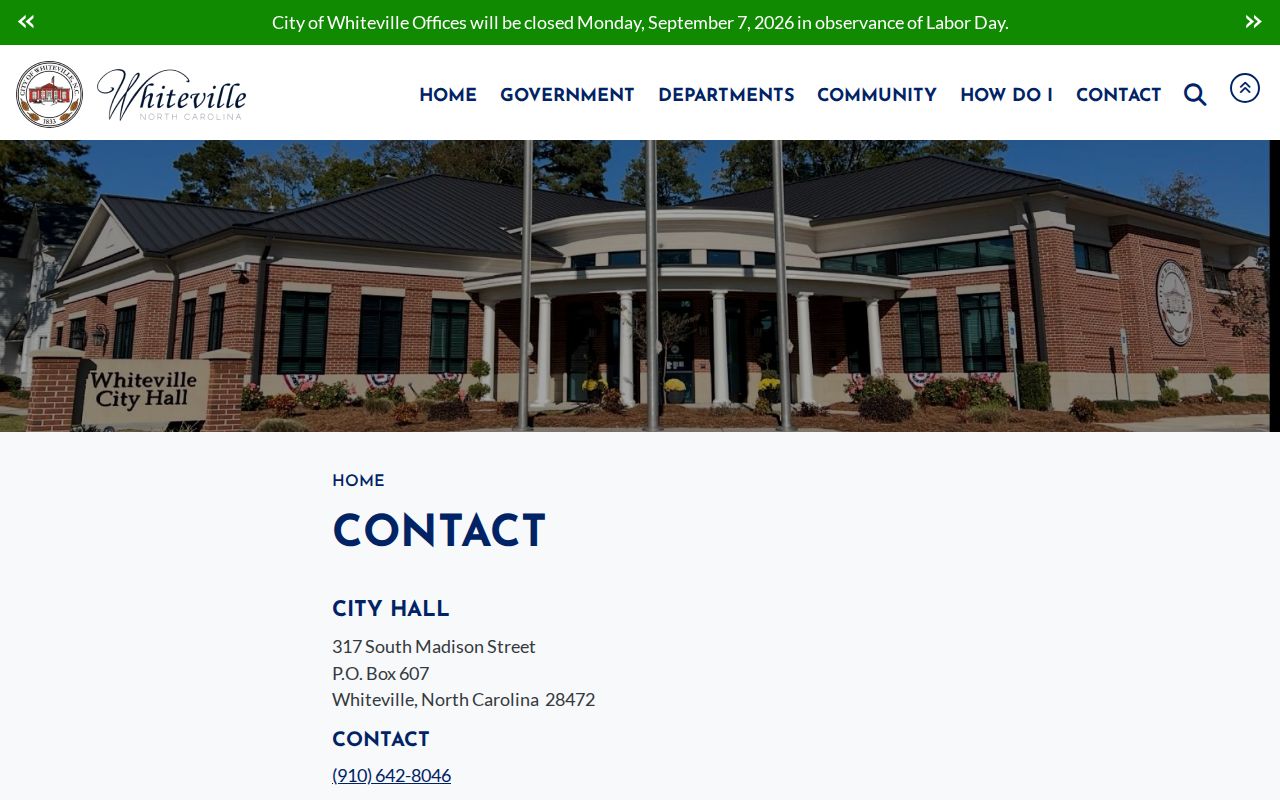
City Hall in Whiteville handles municipal matters, while the court-record side stays with the Columbus County courthouse and its clerk of court. For any Whiteville court docket or case lookup, that courthouse office is the place to contact.
Finding Whiteville Court Dates
Check a Whiteville court date through the live hearing path. Don't rely on an old docket entry. Start in Portal. Choose Search Hearings, pick Columbus County, then set the hearing type and search type before you enter the matching name or number. Add the required date range and submit. Once results return, open the case's Case Summary. Compare the hearing against the case events listed there. The Columbus schedules page adds a second layer of Whiteville docket information, including Criminal Docket Management, trial-week, motion-and-plea, civil stand-by, and judge-assignment materials.
| Date | The current Whiteville case setting returned by Search Hearings or the clerk, not merely a past Case Event. |
|---|---|
| Time | The time shown for the specific hearing; a calendar grouping does not establish a personal call order. |
| Courtroom | The Columbus courtroom listed in the hearing result or confirmed by the court office. |
| Judge | The judicial officer displayed for that Whiteville hearing, if shown, rather than a presumed city judge. |
| Setting Type | The Portal or local-calendar label, such as a hearing, trial session, CDM conference, motion, or plea calendar. |
One quirk: older converted events can show a 12:00 AM timestamp after the county's eCourts conversion. Treat that as an artifact, not as proof of a midnight hearing in Whiteville. When a current setting looks unclear, turn to the local schedules, then call the clerk or the relevant court office.
Whiteville Court Docket Results and Current Hearings
Think of a Whiteville Case Summary as a timeline, not a promise. Some dated entries may no longer be active. Read through Case Information, Assignment Information, Party Information, Case Events, Dispositions, Hearings, and Financial Information. Check each where it applies. For the next setting, two Portal tools work better. The Hearings section and Search Hearings are the better Whiteville tools. A prior continuance, a past appearance, or a completed event can still sit on the docket. The court may have moved the case forward.
- Case Summary
- The online Whiteville-accessible Register of Actions, based on the clerk’s record.
- Case Event
- A dated filing, setting, order, or other docketable action, which may be historical rather than current.
- Hearing
- A scheduled court event that can be searched separately by Columbus location and date range.
- Disposition
- A recorded procedural or final result, which can still be followed by later activity.
A Portal no-result is not proof that no Whiteville case ever existed. So check your spelling and the number format first. Confirm the Columbus location filter, and consider a restricted record or a processing delay. For an online access gap, the documented local fallback is the courthouse terminal. The paper file is the other fallback.
Whiteville Traffic Ticket Lookups
A Whiteville traffic citation normally lands in Columbus District Court, not a Whiteville city court. Start with the citation itself. It carries the court date and may show whether the matter is waivable. In Smart Search, try the citation number as an advanced search type when offered. Otherwise search by case number or name with the Columbus County filter. Open the Whiteville Case Summary. It shows the court process, setting, disposition, and any public financial information that applies.
For an upcoming traffic setting, Search Hearings is the direct date tool. Unclear Portal result? Consult the Columbus local schedules and call the clerk. Eligible matters may allow county online, mail, or counter payment. But eligibility has to come from the case itself. The fuller county process is laid out on the Columbus County Traffic Court page.
One caution before you act. Paying an eligible waivable charge is not the same as checking a Whiteville court record. State guidance treats payment as a waiver of appearing or contesting. So read the citation and the current case status first.
Whiteville Traffic Court Records in District Court
Whiteville traffic and infraction records live in the Columbus state-court system. Two separate files exist here. The court case record and the driver record have distinct custodians, and neither speaks for the other. Through the Columbus clerk's court record, you can see a Whiteville citation's setting, case events, disposition, and financial information. The North Carolina Division of Motor Vehicles maintains the driver record. No Whiteville city office can combine or certify those separate systems.
For eligible Columbus mail payments, county instructions direct the payment and citation number to PO Box 1587. The Criminal Division cashier sits on the first floor. Online payment works only for eligible balances. The Portal's card payment path carries a 2.39% transaction fee with a $1 minimum. Keep a Whiteville court-record search focused on the court file and the court date, not on an unrelated driver-record inquiry.
Missed a Whiteville appearance? Contact the clerk promptly to learn the actual case status. The lapse may be recorded as called and failed. Statewide guidance describes possible Failure To Appear and later DMV reporting consequences, but the individual Whiteville case file is the source for what occurred.
How Whiteville Cases Reach the County
Whiteville cases do not transfer from a city court to the county court. No separate Whiteville trial court exists. Instead, a Whiteville incident that becomes a court matter enters Columbus District Court or Superior Court based on case type. District Court covers traffic, infractions, misdemeanors, municipal-ordinance violations, and qualifying civil cases. Superior Court handles felonies, certain criminal appeals, and general civil actions over $25,000.
Docket flow: Whiteville local government or police context › Columbus District Court or Superior Court › Clerk of Superior Court and eCourts Portal › North Carolina Court of Appeals where applicable.
That flow tells a Whiteville user which channel to try next. A citation or misdemeanor points to the District Court-side case search. A felony or major civil matter points to the Superior Court-side record. The same county clerk keeps the file. For broader division and search guidance, use the Columbus County Court Docket overview.
Whiteville Court Records at the Court Campus
Paper is still an option. The Columbus County courthouse campus in Whiteville holds the actual case files. The Clerk of Superior Court at 100 Courthouse Circle keeps them for the whole county. That office covers both District and Superior Court. So Whiteville residents never need a separate city case counter. Public-access equipment is on site, along with paper files for records that do not appear fully online.
Know where you are headed first. The campus includes the main courthouse, the Courthouse Square annex, and the Dempsey B. Herring annex. Confirming the right office or courtroom saves a trip. The Columbus County Courthouse page gives the official layout and location details. When you make a request, list the case number, the division, and the event or document date, plus the exact item you want. That detail lets staff pull the right file quickly. For city context, the City of Whiteville's official site is the place to look. It covers municipal matters rather than state court files. The courthouse campus remains the route for any court record itself.
The municipal site explains city government. Court files still live with the county clerk on campus.
The Whiteville municipal website is helpful for city context. A state court file or court setting still runs through the Columbus clerk at the courthouse campus, not the city.
Who Can See Whiteville Court Records
North Carolina access rules govern what the public may see in a Whiteville court record. The Columbus clerk keeps the docket, files, records, and indexes for both courts. Public Portal access is the online window. Through it, you can view a Case Summary. You can also see any public documents the system posts. The clerk's office remains the local route for inspection and copies. Just remember that public does not mean everything shows up online. Some images, identifiers, and file categories stay off the internet entirely. Sealed, confidential, and juvenile records do not open up just because someone registers for access.
Key Rules:
G.S. 7A-109 makes clerk-kept dockets, files, records, and indexes open to public inspection unless a law prohibits access.
G.S. 132-1 states North Carolina’s broad public-record baseline, subject to confidentiality statutes.
G.S. 7B-3000 withholds juvenile records from public inspection except for authorized access or court order.
A Whiteville Portal result is not the official court record. That point matters when you need proof, not just information. A public document can be missing online. You might also want to inspect a paper file. In those cases, ask the Columbus Clerk of Superior Court rather than the city. The clerk can tell you what may be inspected. She can also explain what may be copied or certified under the applicable rule.
Whiteville Court Records: Portal Versus Official Copy
Keep three Whiteville record products straight. First is the Portal Case Summary, the searchable online timeline of a case. Second is a filed document. That means the pleading, order, judgment, or exhibit behind an event, when it is public and available. Third is a certified copy. That is an official product issued by the clerk with her seal. The Portal works well for locating a Whiteville case. But AOC states plainly that it is not the official court record. A screen image is never a certified copy, no matter how it is labeled.
For a paper or official copy, bring the case number to the Columbus clerk. Bring the specific document or event date too. Statutory rates for clerk copies are set by law. They run $2 for the first page or document. Then add $0.25 for each additional page. A certificate under seal costs $3, plus the underlying copy charge where it applies. Ask the clerk to quote the current charge before you submit a request. Ask about any access condition as well.
The split keeps a Whiteville court-record search honest. Use the Portal to find and understand a public case. Use the clerk when the record itself must be obtained or authenticated.